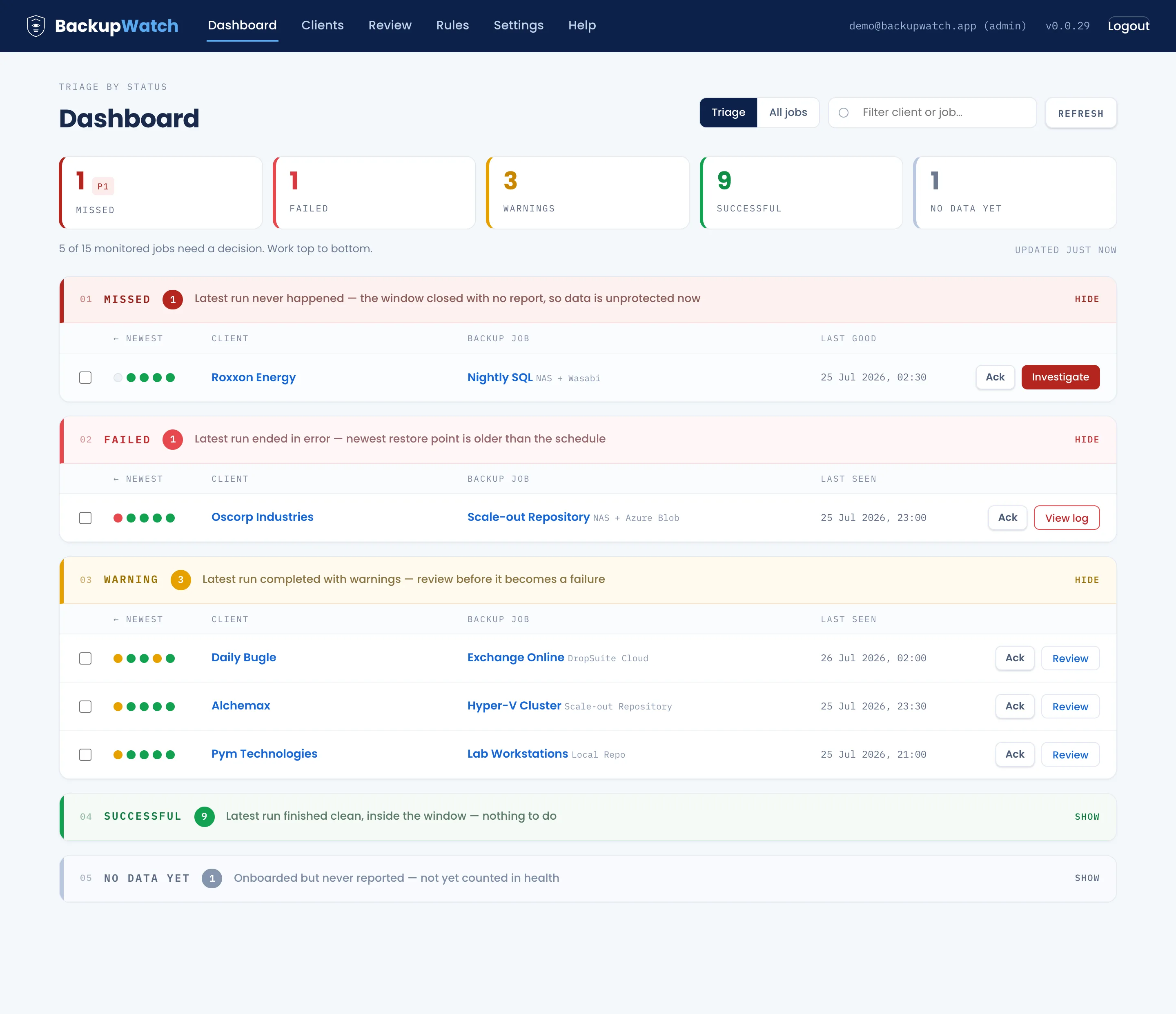
Two hundred success emails a day trains everyone to skim.
Alert fatigue & wasted tech hours
Technicians spend 45 minutes every morning skimming green checkmarks across folders. The one critical failure email scrolls past unnoticed until the client calls asking for a restore.
The silent miss
A VSS hang, frozen agent, or unpowered host sends no email at all. Nothing looks broken, no warning is fired, and nobody realizes a backup died until disaster strikes.
Inbox rules catch the first one. Nothing in your inbox catches the second, because a rule cannot fire on silence.
One mailbox in, real alerts out
One lightweight process on your private server, polling the mailbox your backup notifications already reach. No agents on client machines, no inbound firewall holes.
Poll
Reads unread mail from one Microsoft 365 mailbox (Graph API), Google Workspace (OAuth / App Password), or generic IMAP with SSL every five minutes.
Parse
Pulls vendor and outcome out of Veeam, Synology Active Backup, DropSuite, and CloudAlly notifications, or any backup tool via custom regex rules.
Match & auto-provision
Routes every email to the right client and job. Turn on Auto-Ingest to automatically discover, name, and provision new Veeam jobs for known clients without manual triage.
Schedule heartbeat
Every job carries a schedule (daily or interval) and a grace window. No success email by the deadline is a missed backup. This is the heartbeat that an inbox rule cannot provide.
Clean alerting & daily digests
Failures and misses alert your on-call team once per missed window, never in a storm, plus a daily morning digest summary.
It learns your mail as you sort it, or provisions jobs automatically
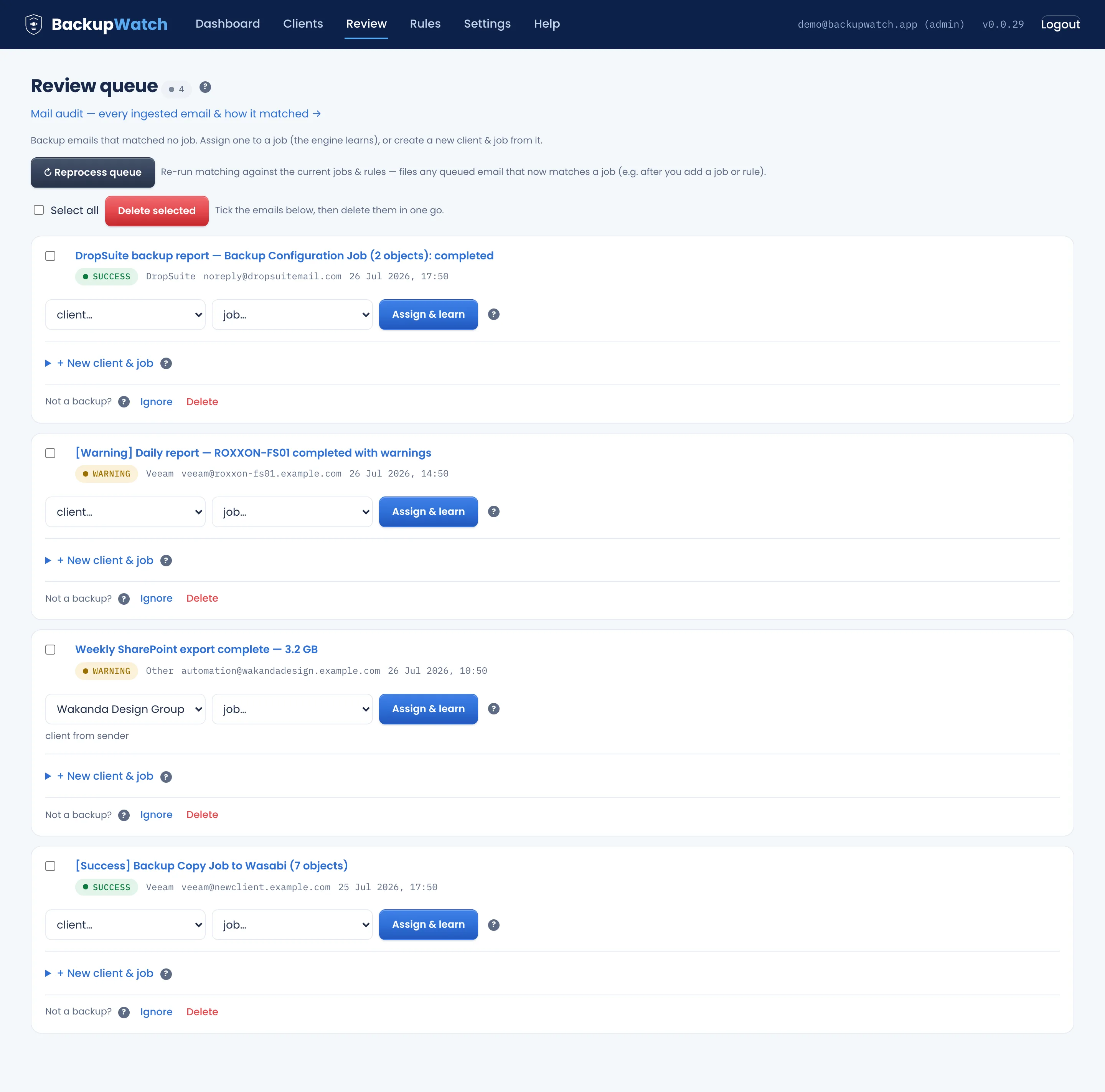
A new client's email lands in the Review queue. Assign it once and BackupWatch derives the routing rule, from the sender domain or a distinctive subject token, so the rest route themselves.
Want zero manual onboarding? Turn on Automated Job Ingestion: new incoming Veeam backup jobs for recognised clients are created, named, and scheduled automatically with zero clicks.
Proof you can hand to the client
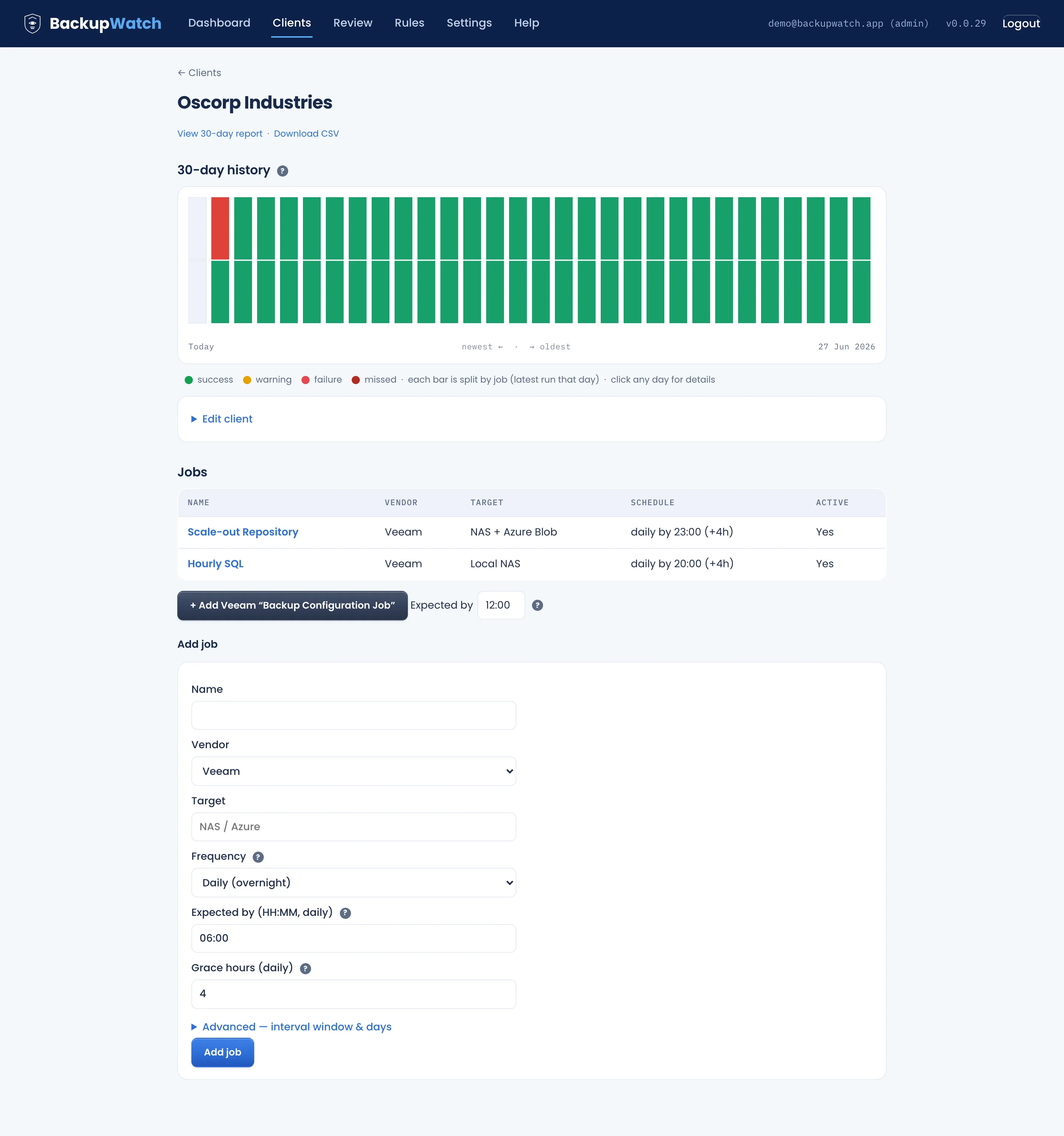
Every client page carries a 30-day history of backup outcomes, one column per day and one band per job. Click a day to read the emails behind it.
Export it as a client-facing report or CSV, so "are our backups actually running?" has a one-page answer at the quarterly review.
A wall display that runs for months
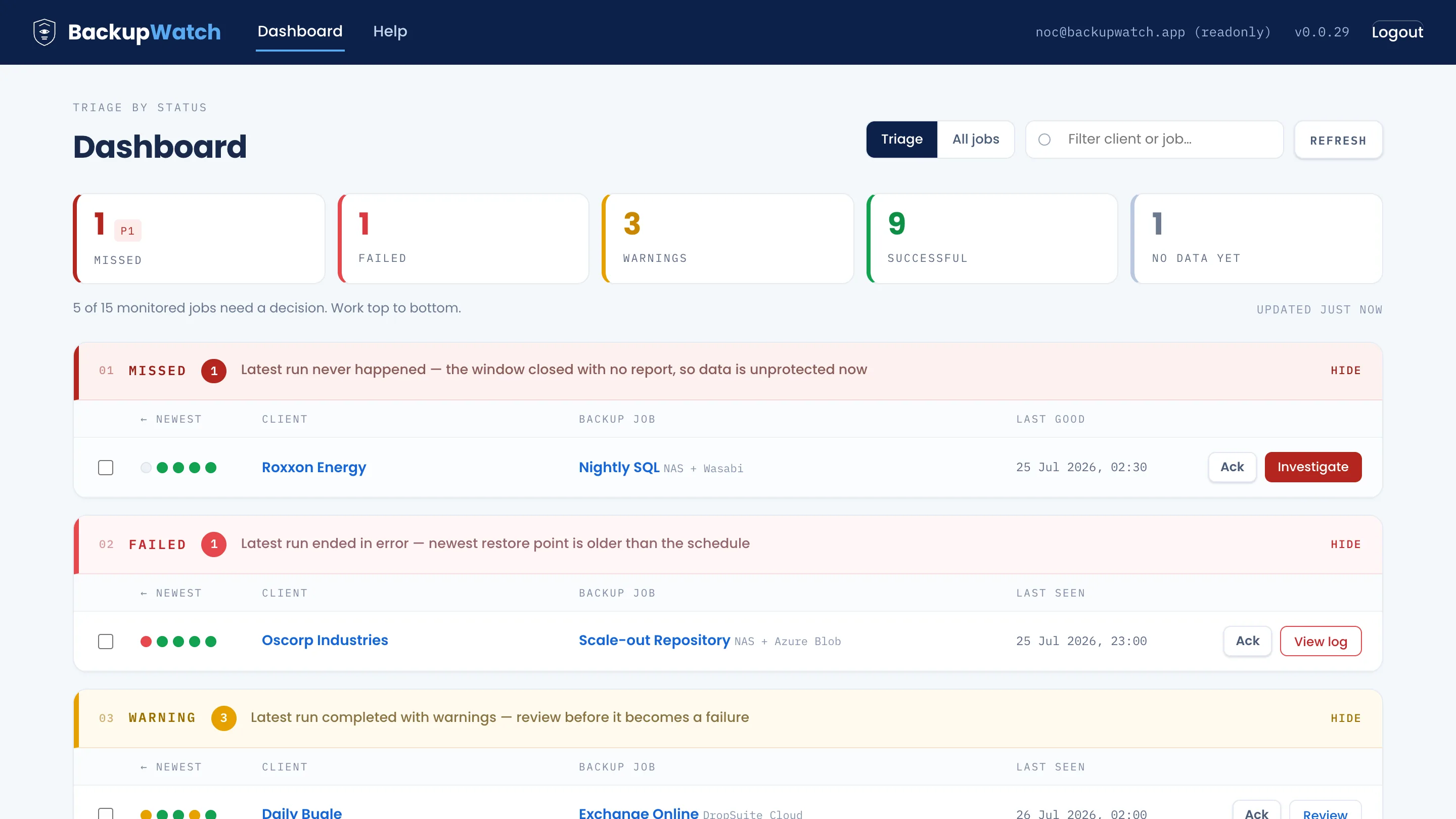
NOC mode turns a readonly account into a TV kiosk: a 30-day session, a refresh every 60 seconds, and no way to change a password from the screen.
Built for MSPs who refuse both manual chaos and the SaaS tax
Outlook rules leave you blind to silent failures. Cloud SaaS monitors (like Backup Radar) charge $300 to $1,500 every single month for something you can run on a $5 VPS. Here is how BackupWatch compares across the board:
Fleet economics: 250 backup jobs across 20 clients
$0 license
...but burns 45 minutes of technician triage salary every single morning (~$5,500/year in wasted labor).
$3,000 to $6,000+ / year
Billed per endpoint / per job every month ($0.50 to $1.50/job/mo). Your software bill spikes every time you win a client.
$49/mo or $499/year flat introductory
Unlimited clients, unlimited jobs. Zero per-endpoint tax. Run 50 jobs or 5,000 jobs for the exact same flat rate.
The email never arrives (silent miss)
Outlook rulesCompletely blind. An inbox rule cannot fire on an email that was never sent.
SaaS monitorsCatches it, but charges you per monitored endpoint every month.
BackupWatchMissed-backup alert dispatched the moment schedule deadline and grace window pass.
Data sovereignty & privacy
Outlook rulesStays inside your tenant.
SaaS monitorsAll client server hostnames, internal IPs, backup paths, and error logs are uploaded to a US multi-tenant cloud.
BackupWatch100% self-hosted on your private server. Zero client metadata leaves your custody. Essential Eight & GDPR compliant.
Onboarding & automation
Outlook rulesHand-crafted folder rules per sender.
SaaS monitorsComplex API permissions & portal mapping.
BackupWatchAssign once to teach rules, or turn on Auto-Ingest to provision new Veeam jobs automatically.
Mixed vendor fleet
Outlook rulesBrittle rules that break on format changes.
SaaS monitorsBroad support, but billed per stream.
BackupWatchPre-parsed for Veeam, Synology, DropSuite, CloudAlly, plus custom regex for any vendor.
Client audit proof
Outlook rulesA spreadsheet, if anyone maintains it.
SaaS monitorsAutomated reporting behind higher tiers.
BackupWatch30-day visual status chart and one-page PDF/CSV audit reports ready for quarterly reviews.
One flat price. No per-endpoint maths.
No per-device fees. No per-client tax. No surprise renewal hikes. Run 20 jobs or 2,000 jobs for the exact same flat rate.
Introductory pricing. $49 a month and $499 a year are launch prices for v1.0.
No key, no signup, no credit card required. Deploys directly in free trial mode with full feature access. When you're ready to monitor your whole fleet, enter your purchased license code in the app to unlock unlimited jobs without reinstalling.
Download freeThe Ed25519-signed key is emailed the moment you buy, activated in Settings in seconds. 7-day renewal grace period ensures monitoring never stops without warning.
Running in 10 minutes
Deploy the release archive onto any fresh Ubuntu 22.04 LTS VPS or VM:
Starts in free trial mode. Paste your license code into Settings > Licensing anytime to unlock unlimited jobs with zero re-installation.
Ubuntu 22.04 LTS, single Python process, SQLite, no Docker
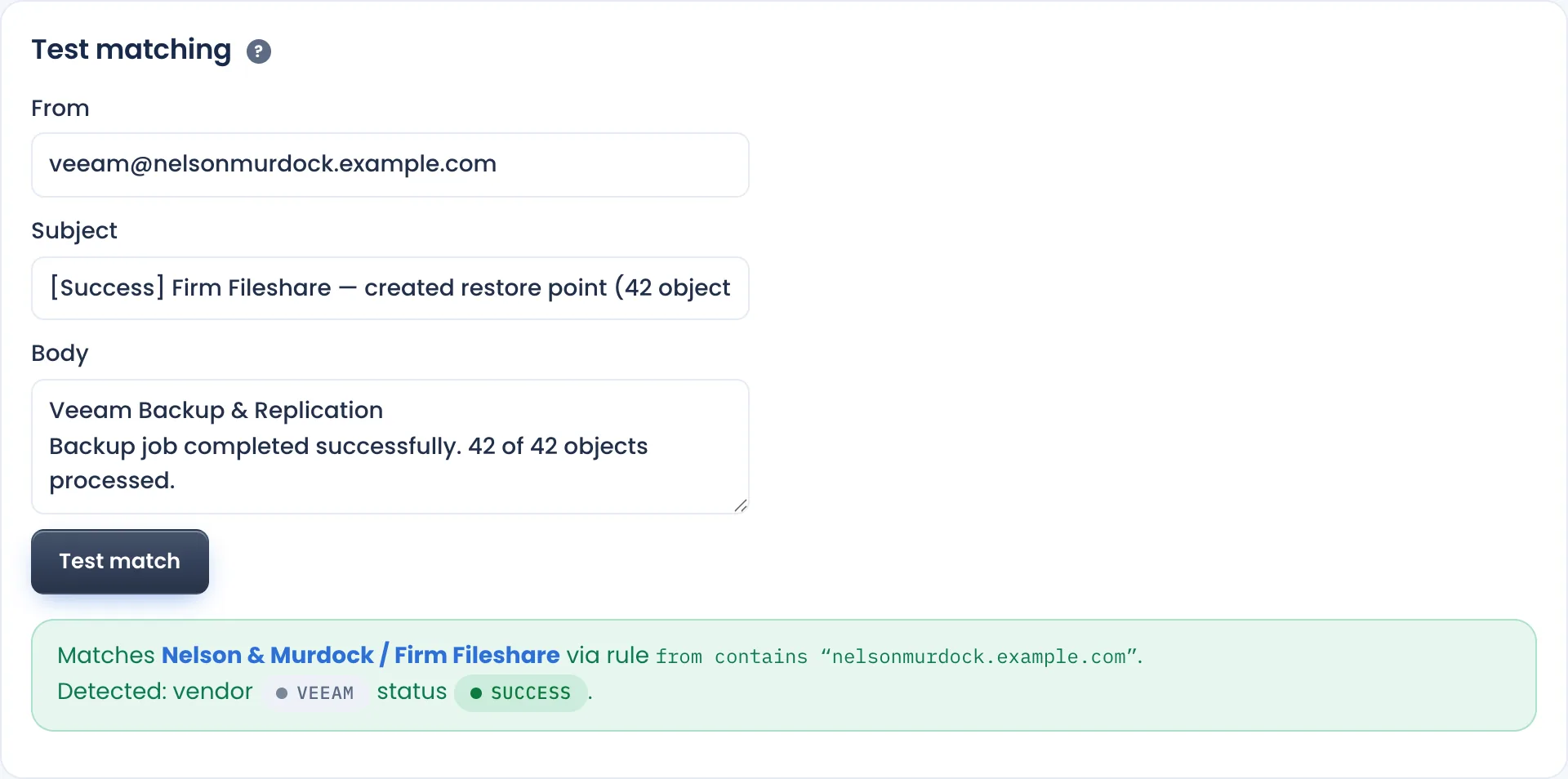
Test a rule against a real notification before it goes live.
Supported ecosystem & architecture
Engineered specifically for MSP fleets. Lightweight, self-contained, and completely private on your own infrastructure.
Mailbox sources
Polls dedicated notification mailboxes every 5 minutes with zero client agents.
Pre-built vendor parsers
Instant status parsing (Success, Warning, Failure, Missed) out of the box.
Custom vendor engine
Monitor any notification format without code changes.
Automated job ingestion
Eliminate manual job setup for fast-growing client fleets.
Alerting & dispatch
Clean email dispatch that notifies your team without alert fatigue.
Security & data sovereignty
Minimal server footprint with 100% private data isolation.
/healthz endpoint for UptimeRobot / Pingdom
Straight answers
Does my client data leave my server?
No. BackupWatch is 100% self-hosted on your own infrastructure. The only outbound network requests are to your notification mailbox provider (Microsoft Graph, Google, or IMAP), your outbound SMTP server for alerts, and a lightweight daily license heartbeat that carries no client names, hostnames, or email content.
Which mailbox providers work?
BackupWatch supports Microsoft 365 (via the Graph API using an Azure app registration), Google Workspace / Gmail (via interactive OAuth2 or App Passwords), and generic IMAP mailboxes with SSL/TLS or STARTTLS. The documentation walks through setup in about ten minutes.
Does BackupWatch require installing agents on client machines?
Zero agents. BackupWatch operates entirely out-of-band by monitoring the notification emails your backup software already produces. There are no client software agents to deploy, update, or troubleshoot, and no inbound firewall ports to open.
How does alerting work?
BackupWatch dispatches alerts via SMTP directly to your team's designated alert inbox or on-call address. Subject lines and bodies are clean, consistent, and deduplicated (one alert per missed window) to prevent alert storms, plus a daily morning digest summary.
What if our BackupWatch server goes down? Who watches the watcher?
BackupWatch includes an unauthenticated /healthz endpoint that reports app version and the timestamp of the last successful mailbox poll. Point any free external monitoring service (UptimeRobot, Better Stack, Pingdom) at it so you're alerted if the server or poller ever stops.
My vendor is not Veeam, Synology, DropSuite, or CloudAlly. Can I still use it?
Yes. You can define custom vendor rules in the UI using sender addresses, subject tokens, and status keywords. Anything unrecognised lands in the Review queue rather than vanishing. If you have sample notifications for an unparsed vendor, send them to us and we will build a native parser.
How does the free tier work, and how do I unlock unlimited jobs?
When you download the v1.4.5 release archive, it installs immediately in Free Mode. You can connect your real mailboxes and monitor up to 5 active backup jobs forever with zero time limits, no credit card required, and full feature access. When you choose to upgrade to the Monthly ($49/mo) or Annual ($499/yr) plan, both at introductory launch pricing, you will receive an Ed25519-signed license code via email. Simply paste that code into Settings > Licensing in your BackupWatch web UI, and your server instantly unlocks unlimited jobs without needing a reinstall, database migration, or server restart.
What happens if my licence lapses?
You receive a 7-day grace period, fully functional, with an informative in-app banner. If you monitor five or fewer active jobs, it quietly transitions to the free tier. Above five jobs, new polling pauses until renewed, but existing alerts still notify and daily digests continue sending.
What server resources are required?
One small Ubuntu 22.04 LTS VPS or local virtual machine (1 vCPU, 1 GB RAM). It runs as a single Python FastAPI process with an embedded SQLite database, so there is no database server to maintain, no Redis, and no Docker overhead. The automated installer configures systemd, nginx, and HTTPS automatically.
Talk to the people who built it
Questions about vendor parsers, deployment, or running on your own infrastructure. Send sample notifications for an unparsed vendor and a native parser gets built.
Replies from hello@backupwatch.app, usually within one business day